Ramblings (Optional to Read)
It’s been a while since I last wrote a blog. Yesterday, I encountered a git issue, resolved it, and wanted to document it. Initially, I planned to save it in a local Markdown file, but later I thought it would be more beneficial to post it on my blog. So, I created a new Markdown file in my personal blog project folder, wrote the content, committed it with git, and pushed it to the GitHub remote repository. However, I noticed that my blog website didn’t update (well, to be honest, I noticed this issue last year but was too lazy to address it then 😵💫).
Prerequisite Information
I built my personal blog by following this Bilibili video, using GitHub Pages and deploying it with GitHub Actions for automation.
Problem Diagnosis
By checking my personal blog’s GitHub repository, I found that the GitHub Action deployment had failed:

Upon further inspection, I saw an error message: The current runner (ubuntu-24.04-x64) was detected as self-hosted because the platform does not match a GitHub-hosted runner image (or that image is deprecated and no longer supported). This suggests that the issue might be related to changes in GitHub’s hosting platform.

I revisited the Bilibili video where I learned to set up my blog using GitHub Pages. The video used an auto-generated jekyll.yml file for GitHub Actions.


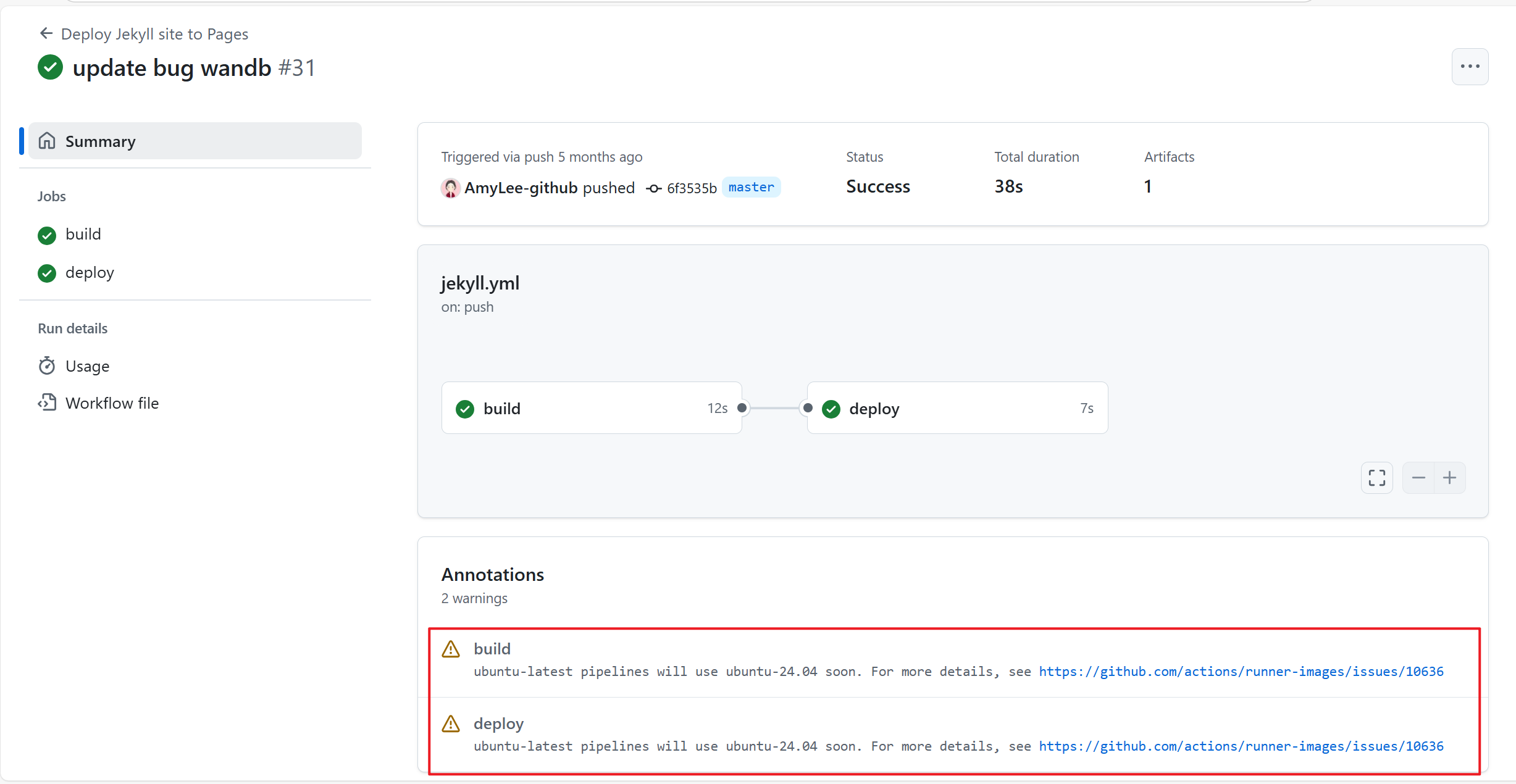
I then checked the last successful deployment in my GitHub Actions history before the failure:

The logs showed a warning: ubuntu-latest pipelines will use ubuntu-24.04 soon. It also provided a link to this GitHub issue.
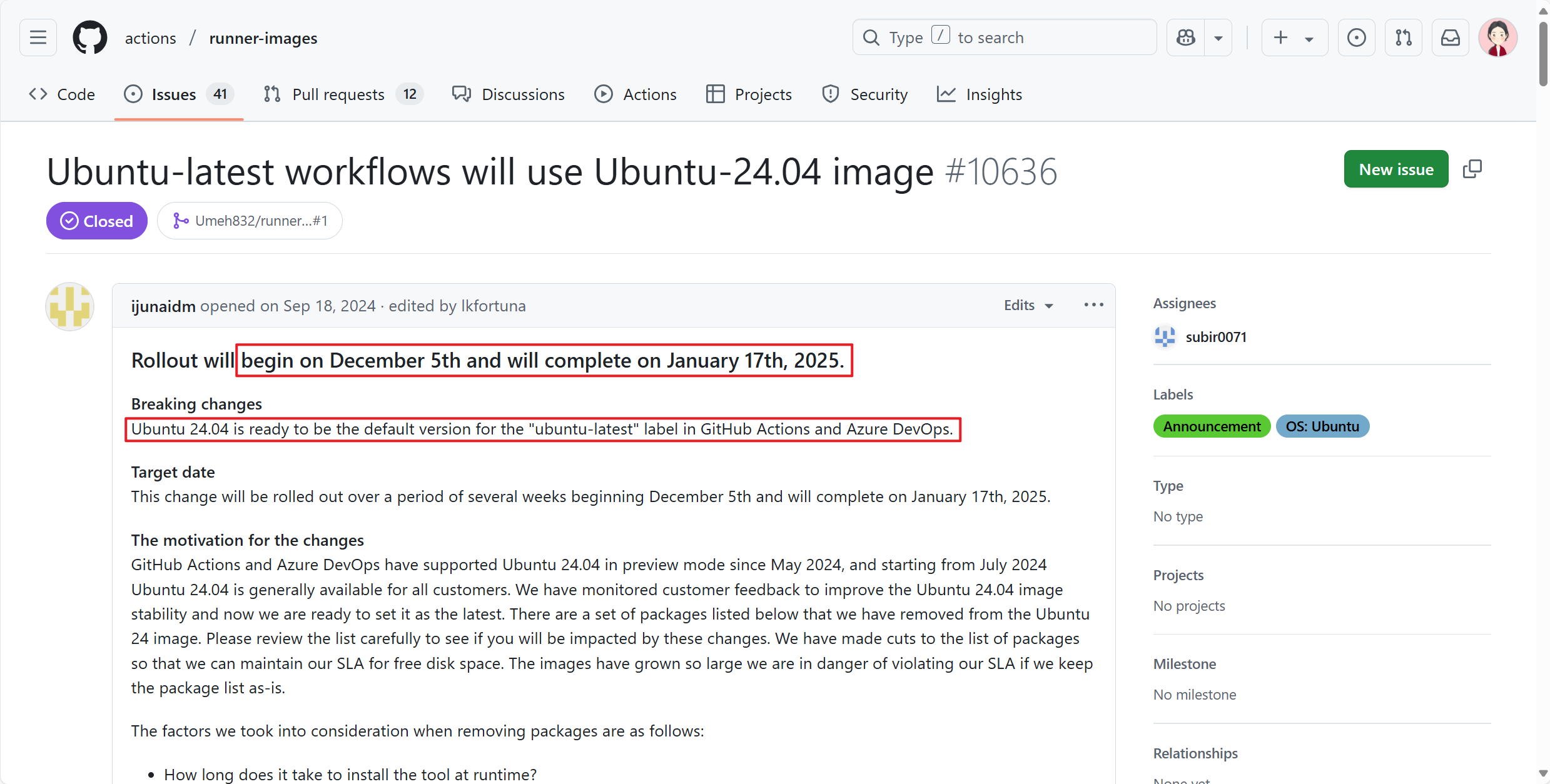
The linked announcement stated: Ubuntu 24.04 is ready to be the default version for the "ubuntu-latest" label in GitHub Actions and Azure DevOps. The transition started on December 5, 2024, and completed by January 17, 2025.
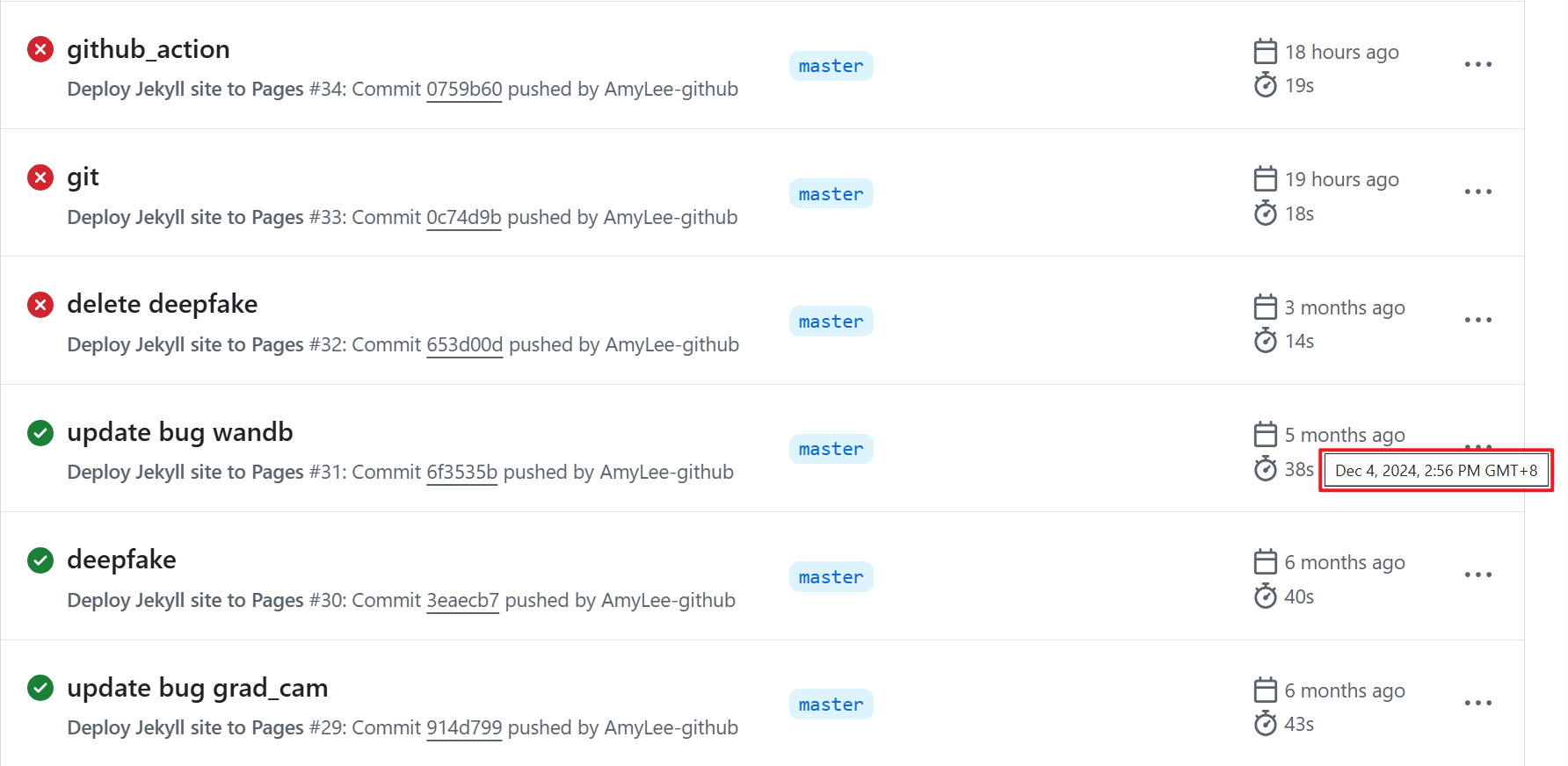
Looking at my GitHub Actions history, the last successful deployment was on December 4, 2024, and the first failed deployment was on January 18, 2025. This confirmed that the failure was due to GitHub’s system update.

Solution
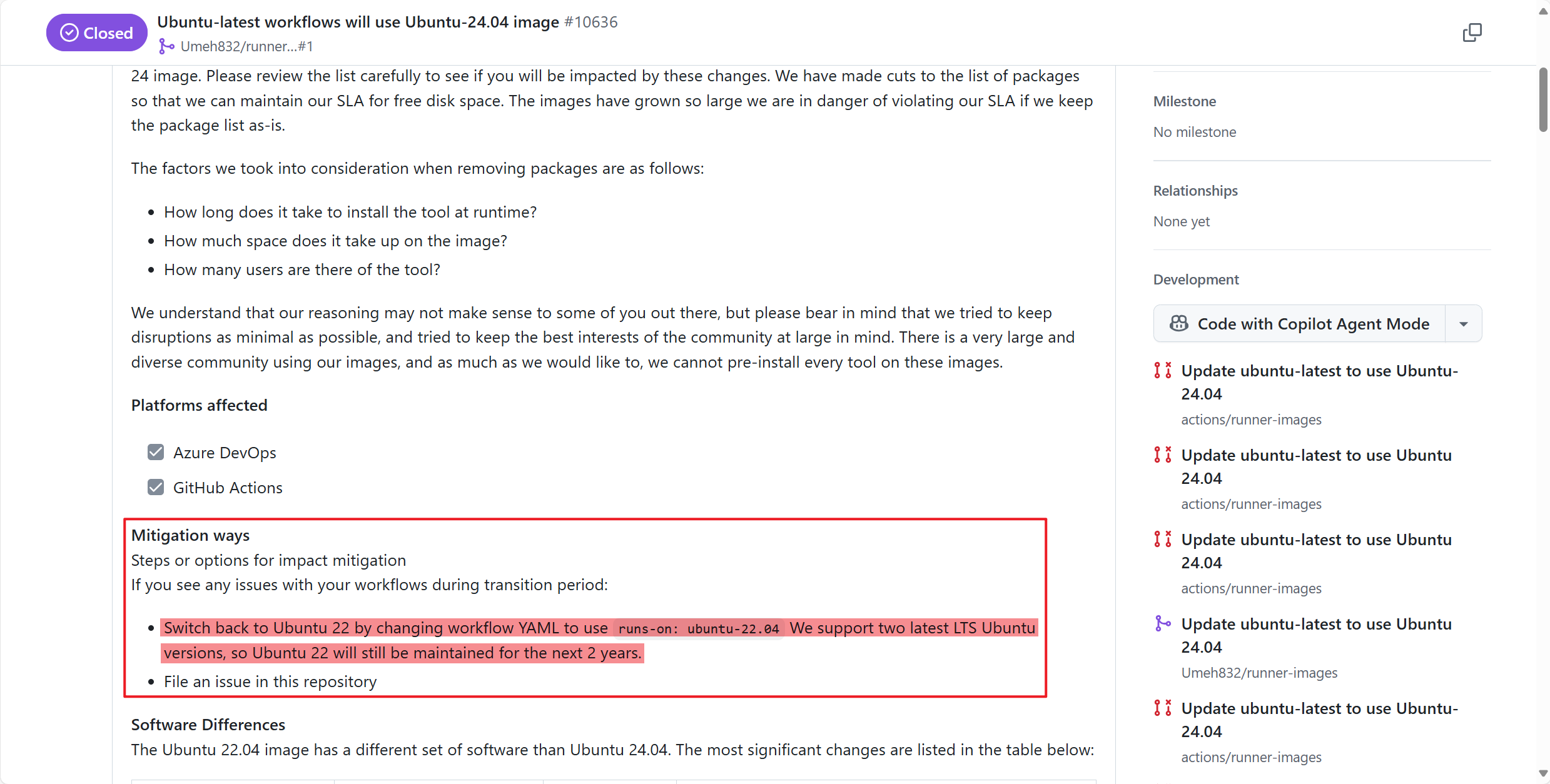
The GitHub Actions announcement mentioned a workaround: Switch back to Ubuntu 22 by changing workflow YAML to use runs-on: ubuntu-22.04. We support two latest LTS Ubuntu versions, so Ubuntu 22 will still be maintained for the next 2 years. This means I can temporarily resolve the issue by modifying the runs-on field in the YAML file to ubuntu-22.04. This solution will work for the next two years 🤭 (I’ll deal with it again when the time comes 😅).
So, the solution became clear: open the jekyll.yml file in the .github\workflows directory, change runs-on: ubuntu-latest to runs-on: ubuntu-22.04 (and add a comment with the official announcement link for future reference). Then, commit the changes with git and push them to the GitHub remote repository. After that, the deployment succeeded again! 🎉


Summary
Cause of Deployment Failure:
GitHub Actions updated the default system for ubuntu-latest from ubuntu-22.04 to ubuntu-24.04 between December 5, 2024, and January 17, 2025. This caused systemic errors in workflows still using runs-on: ubuntu-latest.
Solution:
The fix is straightforward: modify the jekyll.yml file in the .github\workflows directory, changing runs-on: ubuntu-latest to runs-on: ubuntu-22.04. However, note that this is a temporary solution and will only work for the next two years.